Write the hook and takeaway
State the viewer's question in the opening line, then choose one answer worth delivering. For a desk-organization short, the takeaway might be three changes someone can try today.
Short-form video
Start with a topic, a tight script, and a visual direction that does not require you on camera. Facelessvideo can help you explore a short-form concept; check the destination's current access and export terms before relying on a free workflow.

A faceless shorts generator is most useful when the idea is narrow enough to explain in a quick sequence. Decide whether you need help with the concept, the visuals, or a platform-specific cut.
Explore how AI fits into planning visual stories without an on-camera presenter.
Compare a broader generation workflow when your idea needs more than a short-form cut.
Consider a Reels-focused approach when that is where you intend to publish.
A faceless shorts generator can help shape a draft, but these decisions still need a human check—especially if you are testing what a free access tier permits.
A free entry point does not establish which generation, download, watermark, or usage options are available at the destination. Those terms may change.
WorkaroundReview the current product terms and test the exact export you need before planning a publishing schedule.
A scene can look polished while showing an object, action, or sequence that contradicts the narration. Short videos leave little time for viewers to resolve a mismatch.
WorkaroundWrite one visual requirement per beat and replace any shot that fails to support its line.
Avoid assuming that a generated clip, soundtrack, logo, or factual statement is cleared for your intended use. A faceless format does not remove copyright or accuracy concerns.
WorkaroundVerify claims and review the source and permitted use of every asset before publishing.
Give a faceless shorts generator a specific brief rather than asking for a finished viral video. This three-part workflow makes the draft easier to review.
State the viewer's question in the opening line, then choose one answer worth delivering. For a desk-organization short, the takeaway might be three changes someone can try today.
Specify close-ups, diagrams, screen recordings, or object shots instead of requesting a person speaking to camera. Keep captions brief enough to read while the scene moves.
Check whether the first frame makes sense without sound, whether each scene supports the script, and whether the ending delivers the promised answer. Confirm the final format and usage terms at the destination.
The comparison illustrates a planning decision, not a guaranteed transformation or a sample export from the tool.

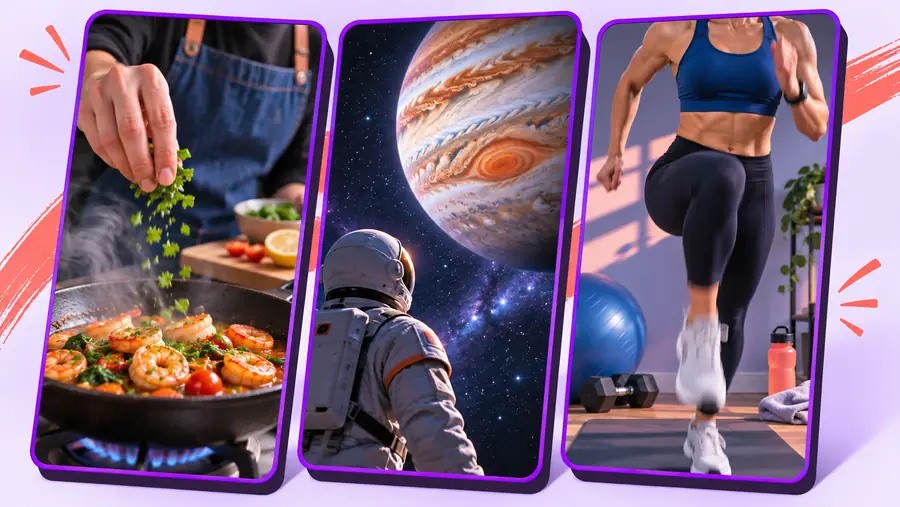
A useful brief describes the shots as well as the subject. Treat these images as illustrative; review actual generated material, captions, and export options separately.
A faceless shorts generator works best with a defined audience and visual vocabulary. These starting points show how the same no-camera approach can serve different creators.
Turn one study tip into a sequence of text overlays, notebook close-ups, and a clear final takeaway.
A brief that can be checked for accuracy before any visuals are published.
faceless video aiShow a product feature through close-ups and short captions without filming a spokesperson.
A visual outline that makes missing product details easier to spot.
ai faceless video generatorAdapt a quick how-to idea for a vertical feed while keeping the hook legible and the steps distinct.
A draft that can be reviewed against the conventions of the intended channel.
faceless reels generatorBring a focused topic, a few visual beats, and the takeaway you want viewers to remember. Explore the result, then check the destination's current free access, asset rights, and export terms before you publish.
Yes. You can build a concept around object shots, diagrams, screen recordings, captions, or other visuals instead of an on-camera presenter. Check that each shot actually supports the words on screen or in the narration.
The phrase does not guarantee that a particular product offers unrestricted free generation or downloads. Check the destination's current access, export, watermark, and usage terms before committing to a workflow.
Include the topic, intended audience, central takeaway, and a few concrete visual beats. State that you want a vertical, no-camera approach, then inspect the draft for pacing and factual accuracy.
Publishing depends on the platform's rules and the rights attached to your visuals, audio, and other assets. Confirm permitted use at the destination and review every claim before posting.
Both can use a vertical, no-camera format, but the publishing destination affects how you frame the hook, captions, and final call to action. Plan for the specific audience and platform rather than assuming one cut fits everywhere.